
The celebration lives on in the people and their stories.
You’re invited to explore a fictional wedding: RSVP, check the details, find a familiar face, leave a memory, and see an illustrative host activity view.
A personal invitation starts the experience.
The invitation lets guests understand what’s happening and provides their route into the event. Try the RSVP below to preview how an invitation experience might feel.
4:00 PM
Lakeside Garden · Sample Venue
Will you join us?
Choose an RSVP option to see how a response might work. This is illustrative only, not connected to invitations, guest lists, or real RSVP tracking.
No message will be sent, and no database will be updated.
The details stay close at hand.
Guests can revisit event information without hunting for a paper invitation. The schedule and venue here are fictional examples.
Saturday, June 20 · 4:00 PM
Lakeside Garden (fictional example)
Location displayed as a sample, not a real destination.
4:00 Ceremony · 5:00 Garden reception · 7:30 Music & dancing
Share a favorite photograph after the celebration, then come back for the stories people add. Your private gallery link is your way in.
RealJack provides guest-link management and event communications. Any RSVP and schedule UI on this public page is a product illustration.
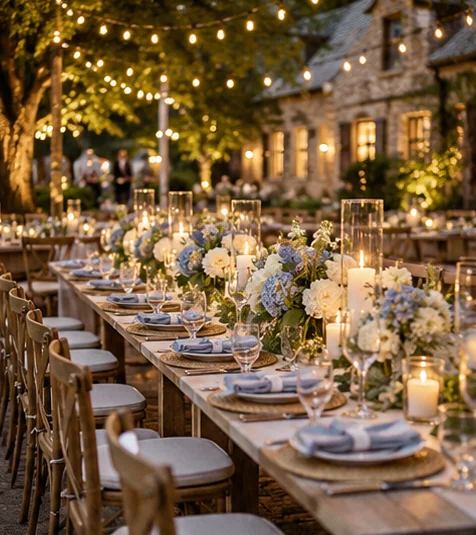 Sample event · All details are fictional
Find the people in the pictures.
This is what makes RealJack different from a plain camera roll. The live product groups faces and lets hosts name or review people. In this public demo, the examples below are preassigned, not generated by live facial recognition.
The story continues with every photo.
Open a picture to read or add sample comments. Tap a heart to save a favorite. These interactions stay only in this browser tab and disappear when you reload.
Understand how the gallery is being enjoyed.
RealJack can associate album engagement with a guest’s private invitation link. Hosts can review which individual photos were opened, how many times they were opened, time spent on each photo, repeat visits, people selected while browsing, communications, and activity reports.
| Invitation link (example) | Album visits | Photos opened | People selected |
|---|---|---|---|
| Invitation A | 3 visits | 18 photos | Olivia |
| Invitation B | 2 visits | 9 photos | Daniel |
| Invitation C | 1 visit | 4 photos | Maya |
See exactly where guests spent their time.
It is not just a visit count. A host can inspect which photos were opened and how much recorded viewing time each one received. Switch between these fictional invitation links to see an example.
| Photo | Opens | Viewing time |
|---|
Viewing time and selections are attributed to a private link, not a verified viewer. Every name, time, and photo association in this public demonstration is invented.